How to turn AI glasses on or off
You can turn your AI glasses on or off using the power switch. The location and method vary by model.
How to turn Ray-Ban Meta or Oakley Meta HSTN glasses on or off
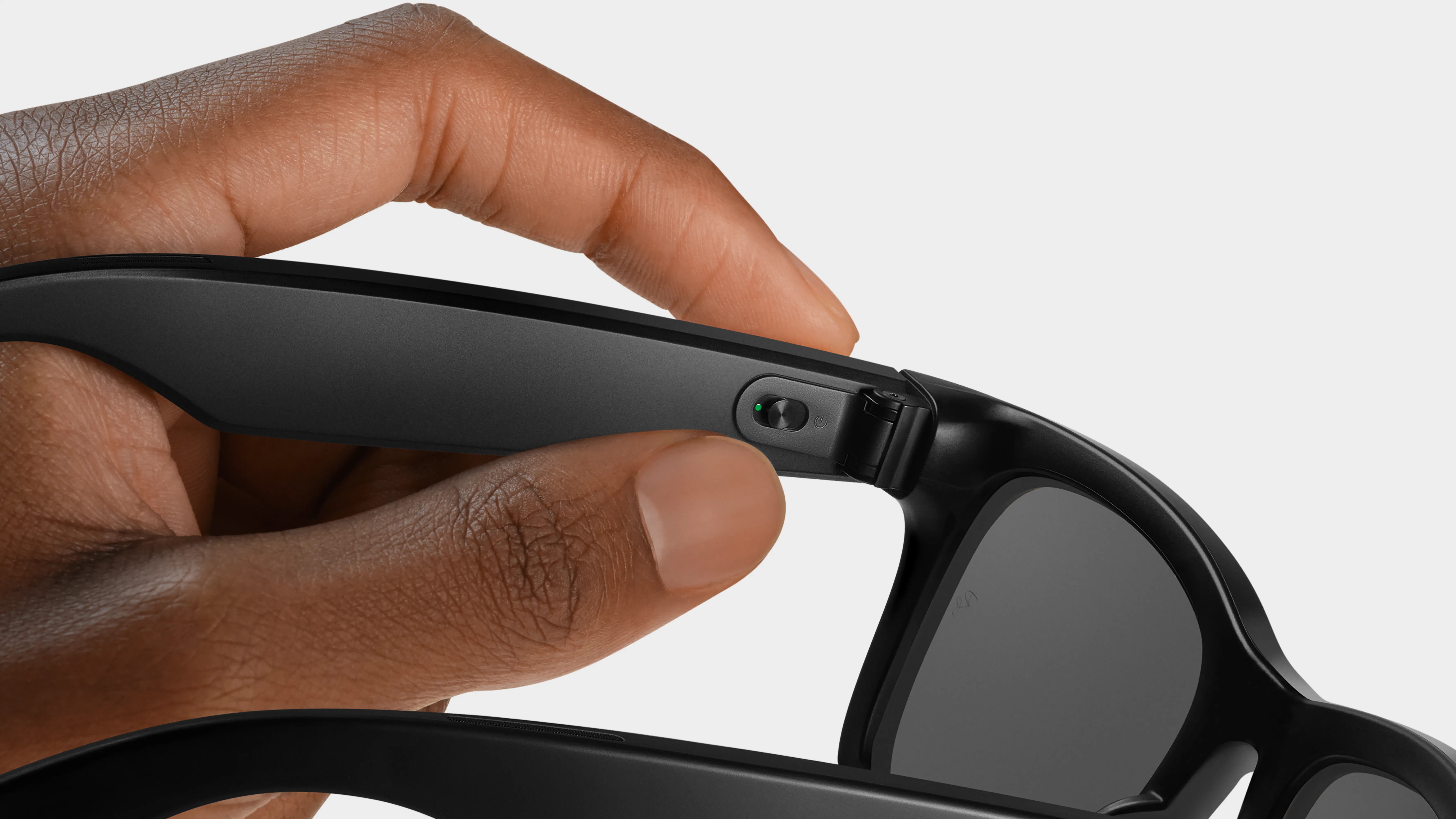
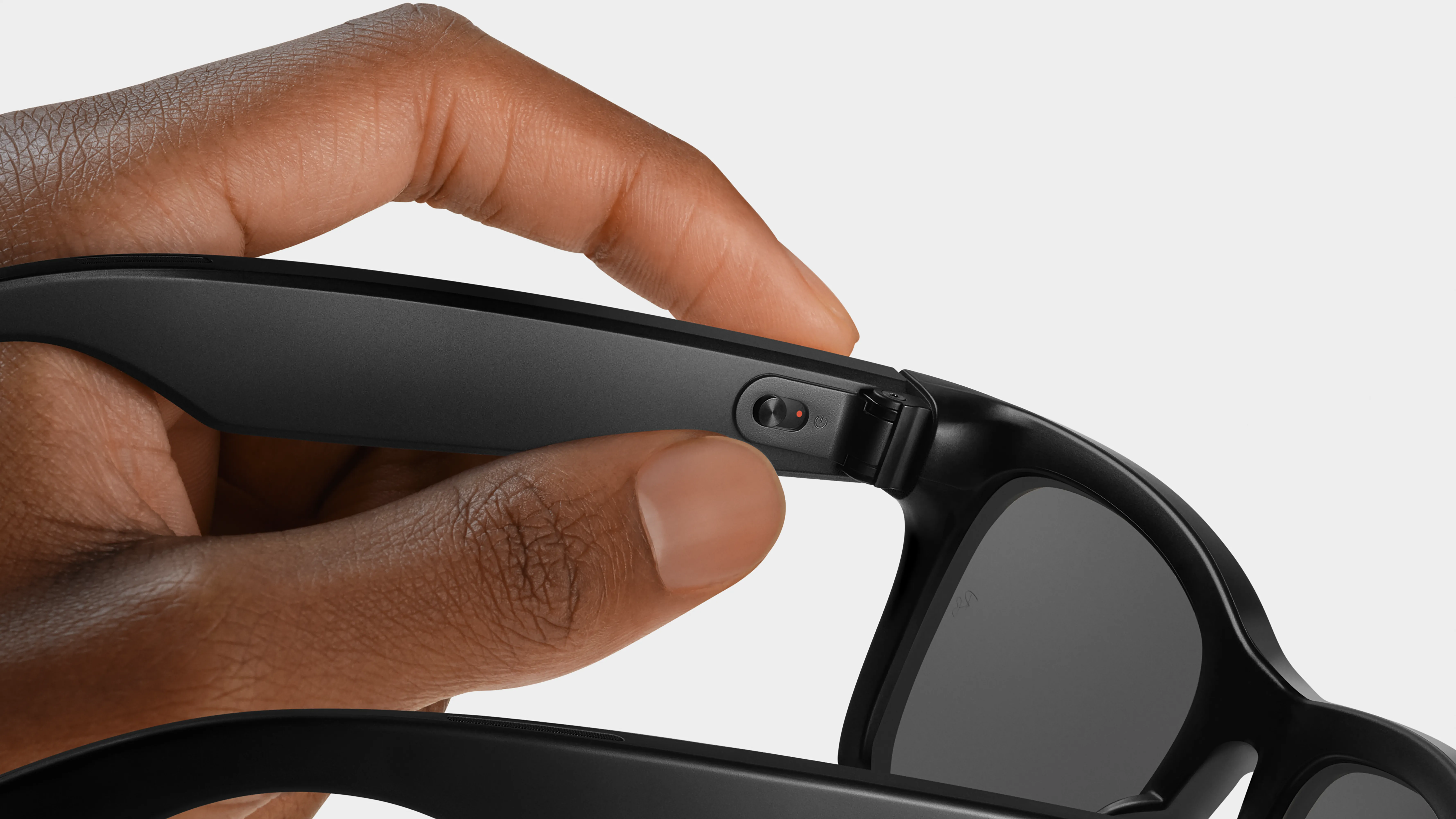
The power switch for Ray-Ban Meta and Oakley Meta HSTN glasses is on the left inner arm of the glasses, near the hinge.
To turn your glasses on:
- Slide the power switch towards the lenses.
- The notification LED will blink while your glasses turn on. When it turns solid green, you’re ready to continue.
To turn your glasses off:
- Slide the power switch towards the back of the glasses.
- The notification LED will blink red to signal that the glasses are turning off.
How to turn Oakley Meta Vanguard glasses on or off
The power switch for Oakley Meta Vanguard glasses is on the underside of the left temple arm.
To turn your glasses on:
- Press and hold the power switch for 1 second.
- The notification LED will flash white while your glasses turn on.
To turn your glasses off:
- Press and hold the power switch for 3 seconds.
- The notification LED will turn white and then slowly fade while your glasses turn off.
To check whether your glasses are on:
- Press the power switch.
- The notification LED will flash white to confirm your glasses are on.
How to turn Meta Glasses on or off
The power switch for Meta Glasses is on the right temple arm near the hinge.
To turn your glasses on:
- Slide the power switch towards the lenses.
- The notification LED will blink while your glasses turn on.
To turn your glasses off:
- Slide the power switch towards the back of the glasses.
How to turn Ray-Ban Meta Audio glasses on or off
The power switch for Ray-Ban Meta Audio glasses is located on the inner right arm of the glasses, near the hinge.
To turn your glasses on:
- Slide the power switch towards the lenses.
- The status LED will blink while your glasses turn on.
To turn your glasses off:
- Slide the power switch towards the back of the glasses.
- Your glasses will make a sound as the device powers off.
My glasses won't turn on
If your glasses won’t turn on, try these troubleshooting steps
- Put them in the charging case for a few minutes, then try again.
- Slide the switch off, then back on.
- Open and close the glasses arms.
If you’re still having trouble with your glasses, please contact Meta Store Support.
Learn more about How to use AI glasses.