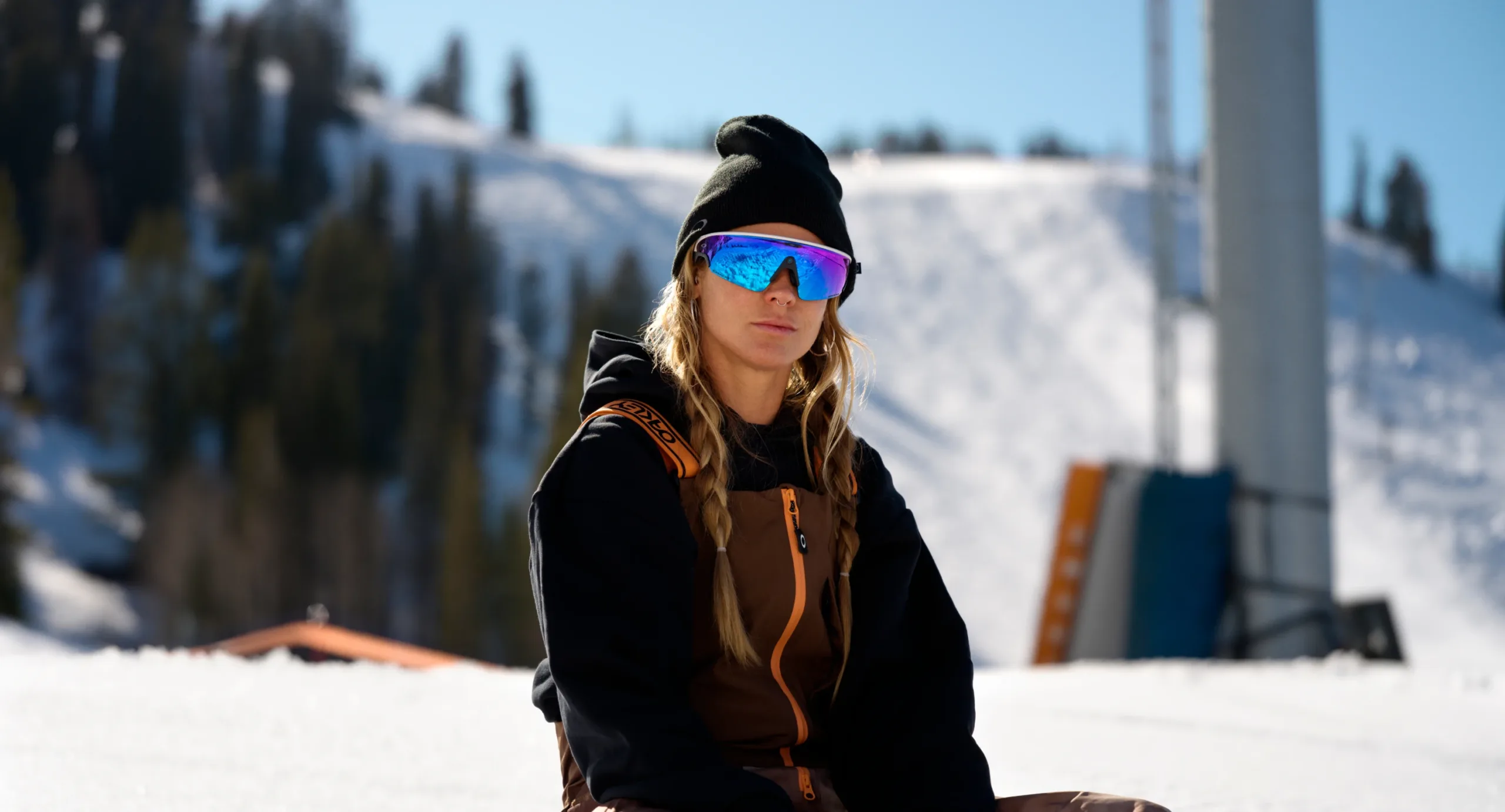
AI glasses for skiing: Ski with style
Hit the slopes in style with AI glasses from Meta. Capture every carve and mountain view, hands-free.

Life without limits
Take the skiing experience to new heights with Oakley Meta glasses. Premium audio and the high-resolution point of view (POV) camera are built into the frame so you can record stunning panoramic views while staying aware on the slopes.

Capture the action as it happens
Meta AI integration and the built-in ultra-wide 12 MP camera let skiers take high-quality photos and videos with simple voice commands. Capture and share your epic moments and mountain views with friends without taking your gear off or touching your phone.
Listen without losing touch
AI glasses for skiing keep you connected without causing distraction. Oakley Meta HSTN features powerful open-ear audio so you can hear music or notifications clearly while staying fully aware of nearby skiers, lift operators and changing terrain, even in winds up to 30 mph.


You have questions. Meta AI has answers
With simple voice commands, you can get instant information and guidance without interrupting your flow on the mountain. Just say, “Hey Meta” to activate Meta AI assistance and get answers right away, completely hands-free.
Brave the elements
The helmet-compatible fit of Oakley Meta glasses keeps you comfortable and your glasses firmly in place as you carve down the slopes. With an IP67 rating and a rugged design, Oakley Meta Vanguard is built to withstand extreme weather conditions, with Oakley Prizm™ lens options designed for changing mountain light.


Stay connected on the slopes
Talk and text without breaking your stride. Pair Oakley Meta glasses with your phone via Bluetooth to receive discreet vibration and audio alerts for texts, emails and calls. Keep your focus on the course by using simple “Hey Meta” voice commands to respond as you ride down the mountain.

Find your perfect match
Frequently asked questions
Do AI glasses from Meta work well in cold, snowy or wet ski conditions?
Yes. Oakley Meta HSTN has an IPX4 rating, which means it functions well even when exposed to light moisture. With an IP67 rating, Oakley Meta Vanguard is designed to withstand extreme weather conditions.
Can I take photos or video footage hands-free while skiing?
Yes. While AI glasses from Meta have a capture button, you can use your voice to take a photo or video with Meta AI. Just say, “Hey Meta, take a photo” or “Hey Meta, take a video” to capture key moments on the slopes hands-free.
Can I control the glasses while wearing gloves?
Yes. You can activate Meta AI hands-free by saying “Hey Meta,” then use simple prompts to capture and share photos and videos, make calls, send messages, listen to music, check your battery status or ask questions.
How long does the battery last in cold weather?
Battery life depends on the Oakley Meta glasses model. In normal conditions, Oakley Meta HSTN lasts up to 8 hours of typical use or 5 hours of continuous audio. Oakley Meta Vanguard delivers up to 9 hours of typical use or 6 hours of continuous audio. Cold temperatures can slow down charging. In temperatures below 32°F, turning off auto-import and insulating your glasses with a beanie or helmet can maintain battery performance.
Do the glasses automatically back up my ski photos and videos?
No. When you capture photos and videos with Oakley Meta glasses, your media is stored on your glasses until you import them into the Meta AI mobile app. During import, your media is transferred from your glasses to your phone. If your phone’s Gallery is backed up to the cloud, then any photos or videos imported from your glasses will also get backed up. Turn auto-import on to ensure all your media gets automatically transferred.
Do the glasses store data locally if I lose connection on the slopes?
Yes. AI glasses from Meta store your data locally on the device even if you lose connection. Each pair of Oakley Meta glasses has 32GB of storage. When you capture media on the slopes without Bluetooth or Wi-Fi, your photos and videos still stay saved on the glasses until you import them to your Meta AI mobile app.
Are there safety guidelines for using AI glasses from Meta while doing sports like skiing?
Yes. All AI glasses from Meta come with warranty and safety information. Oakley Meta glasses are intended for ages 13 and up and all users must take precautions in active environments and stay alert to potential hazards. Visit the Meta Health and Safety Warnings page for comprehensive safety advice on using AI glasses from Meta.
Can I turn off all notifications while skiing?
Yes. You can manage your notification preferences from the Meta AI mobile app. In the app, tap the Menu icon. Then go to Settings, scroll down and tap Notifications below App settings. Tap Devices. From here, you’ll see your device notification settings and you can turn them completely off for your ski session.
Where can I learn more about privacy and data?
Visit the Meta Help Center, the Privacy Tools and Information Security page, or your region’s Privacy page to learn how your media and data are stored and protected. These resources also explain cloud-based AI features and how you can manage and control your information.


