Meta Quest Pro health and safety
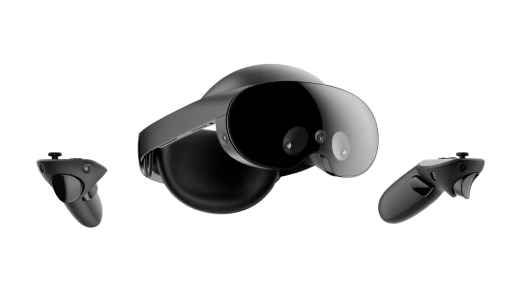

Learn how to stay safe while using your Meta Quest Pro.
Meta Quest Pro health, safety and privacy
View health and safety guide by language:
Meta Quest Pro safety video
Watch video

Protecting yourself

To stay safe in VR, take time to review the health and safety information for your device.

Clearing your activity space

Your Meta Quest Pro is not recommended for use outdoors. Before putting on your headset, clear your activity space of objects that you won't be interacting with and make sure that there is a buffer around it. Check for potential obstacles within arm's reach and watch out for overhead hazards such as ceiling fans and light fixtures.

Taking care of your Meta Quest Pro

Like other gaming and media products, your Meta Quest Pro is sensitive electronic equipment. Get the most out of your device by cleaning it properly, storing it safely and keeping it out of spots that might leave it vulnerable to damage.
  • Keep your device out of direct sunlight and away from sharp objects or sources of heat or liquids.

  • Keep the electrical charging points clean, dry and free of debris, including the charging port and contacts, headphone jack, and docks and cables. Periodically check these charging points to ensure that they do not show signs of corrosion or damage.

  • The front cover window and lenses should only be cleaned with a dry microfibre cloth. Using any liquids, including cleansers or soaps, could permanently damage the front cover window and the lenses.

  • Non-alcohol, non-abrasive antibacterial wipes can be used to clean the body of your headset excluding the front and the lenses.

Learn more about cleaning your Meta Quest Pro here.
New features

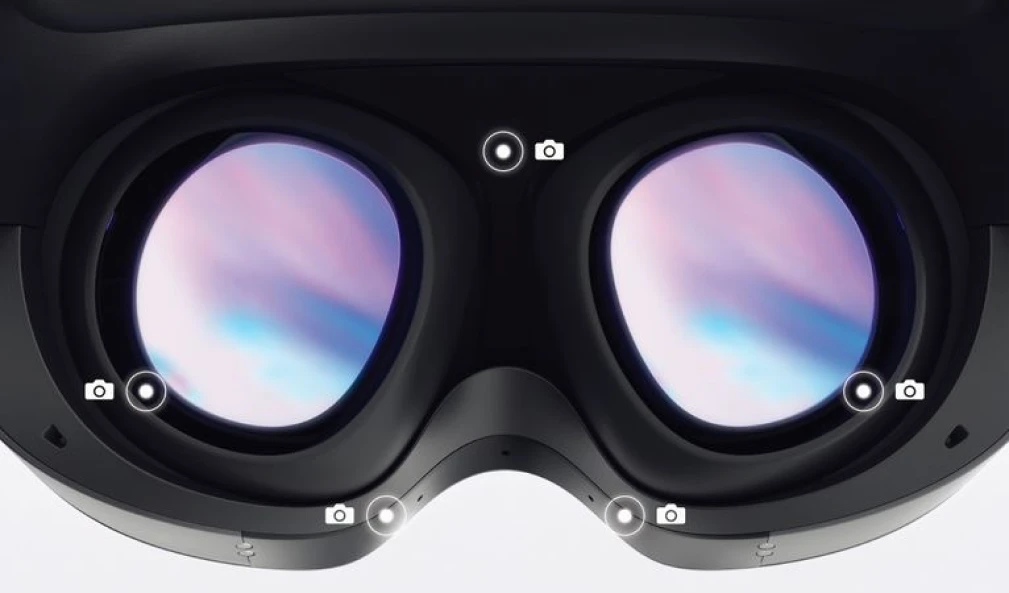
Meta Quest Pro is part of Meta's ongoing journey of enhancing your VR experience, while providing sophisticated privacy controls that help ensure that your experience is safe and secure. Meta Quest Pro is built with sophisticated new eye tracking and natural facial expressions features, which enable social presence in avatars – allowing your avatar to mimic your eye and facial movements more naturally so that you feel more present in VR with friends, family and coworkers. The eye tracking feature will also enable you to use gaze as input so that you can interact with virtual content. Meta Quest Pro will introduce a fit adjustment feature, which uses the position of your eyes and lower face to determine whether your headset is fitted optimally for better comfort, visual clarity and VR experience. These features are off by default, and you can opt in for use of these features directly from your headset. Also, to offer you greater control, you choose which apps (if any) are allowed to access your eye tracking and natural facial expressions data. No raw image data of your eyes or face from these sensors ever leaves your headset. Take a look at the video on how you can opt in/opt out to these sensors to ensure that you control what data you share. You can also learn more about the data we collect and how it is used for these new features on the Eye Tracking Privacy Notice, Natural Facial Expressions Privacy Notice and Fit Adjustment FAQ.

Get support

Learn more about Meta Quest Pro

Need additional help in using your Meta Quest Pro? Access customer support at the Support Centre.